
A Practical Guide to SymPy (with Step‑by‑Step LaTeX Exports)
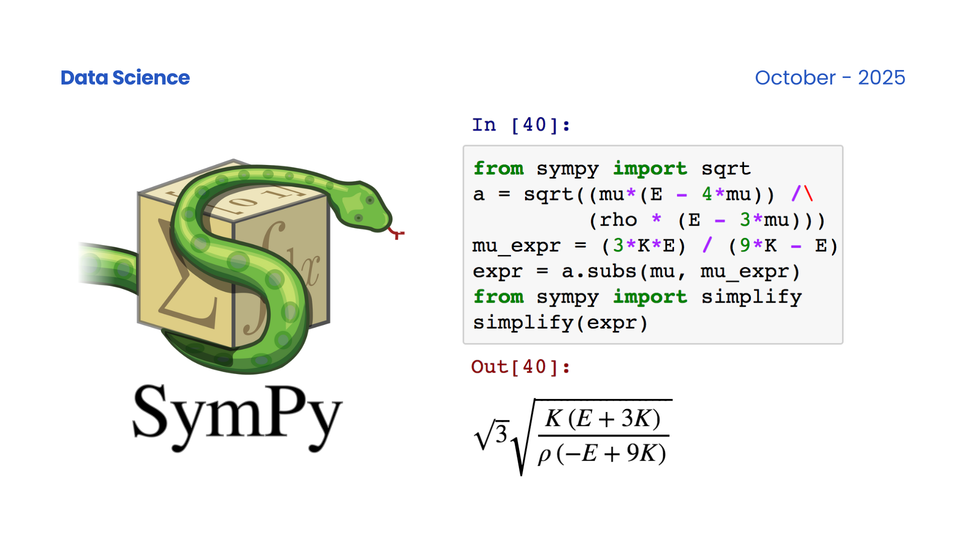
TL;DR: SymPy is Python’s symbolic math engine. Use it to manipulate formulas (not just numbers), solve equations analytically, compute derivatives/integrals exactly, and then export the entire process as LaTeX for your blog or paper.
1) What is SymPy?
SymPy is a pure‑Python Computer Algebra System (CAS). Unlike NumPy (which computes numeric arrays fast), SymPy works with mathematical expressions: it can simplify, differentiate, integrate, solve equations, handle matrices, ODEs, series, units, geometry, logic—then format the results beautifully as LaTeX.
Install:
pip install sympy
Setup:
from sympy import *
x, y, a = symbols('x y a', real=True)  # common symbols
init_printing(use_latex='mathjax')      # pretty display in notebooks
Tip: Give variables assumptions (real=True,positive=True,integer=True), which helps SymPy simplify/solve more aggressively and correctly.
2) Core Capabilities (Enough to Be Dangerous)
2.1 Algebra & Simplification
expr = (x**2 - 1)/(x - 1)
simplify(expr)          # -> x + 1
expand((x+1)*(x-1))     # -> x**2 - 1
factor(x**2 - 1)        # -> (x - 1)*(x + 1)
cancel((x**2-1)/(x-1))  # -> x + 1  (rational cancel)
2.2 Calculus (diff/integrate/limits/series)
diff(sin(x)*exp(x), x)
# -> exp(x)*sin(x) + exp(x)*cos(x)

integrate(exp(-x**2), (x, -oo, oo))
# -> sqrt(pi)

limit(sin(x)/x, x, 0)
# -> 1

series(log(1+x), x, 0, 6)
# Maclaurin up to x^5
2.3 Solving Equations (analytical & numerical)
solve(Eq(x**2 - 2, 0), x)
# -> [-sqrt(2), sqrt(2)]

solveset(Eq(sin(x), 0), x, S.Reals)
# -> n*pi, n ∈ ℤ (set‑style solution)

# Nonlinear numeric solve with initial guesses
nsolve([x**2 + y**2 - 1, x - y], (x, y), (0.7, 0.6))
2.4 Linear Algebra (matrices, eigen, systems)
M = Matrix([[1, 2],[3, 4]])
M.det()         # -> -2
M.eigenvals()   # -> {(5 - sqrt(33))/2: 1, (5 + sqrt(33))/2: 1}
M.inv()         # matrix inverse

A = Matrix([[2,1],[1,3]])
b = Matrix([1,0])
A.LUsolve(b)    # solve Ax=b
2.5 Polynomials & Rational Functions
p = Poly(x**4 - 1, x)
p.factor_list()   # factorization data
apart((2*x+3)/(x**2-1), x)   # partial fractions
together(1/(x-1) + 1/(x+1)) # common denominator
gcd(x**3 - 1, x**2 - 1)      # polynomial GCD
2.6 Ordinary Differential Equations (ODE)
f = Function('f')
ode = Eq(f(x).diff(x, 2) + f(x), 0)
dsolve(ode)  # -> C1*sin(x) + C2*cos(x)
2.7 Units & Physical Quantities
from sympy.physics.units import m, s, km
from sympy.physics.units import convert_to
speed = 100*km/s
convert_to(speed, m/s)  # -> 100000*m/s
2.8 Geometry (points, lines, circles)
from sympy.geometry import Point, Line, Circle
P, Q = Point(0, 0), Point(1, 1)
L = Line(P, Q)
C = Circle(Point(0,1), 1)
C.intersection(L)  # circle–line intersection points
2.9 Combinatorics & Logic
binomial(10, 3)    # -> 120
factorial(6)       # -> 720

from sympy.logic.boolalg import simplify_logic
simplify_logic('(A & B) | (A & ~B)', form='dnf')  # -> A
3) From Symbolics to Numerics (Fast Evaluation)
Turn your symbolic formula into a fast numeric function for NumPy (or PyTorch):
from sympy import lambdify
f_sym = exp(-x**2) * sin(x)
f_num = lambdify(x, f_sym, 'numpy')  # now f_num accepts numpy arrays
Pattern: derive correctly with SymPy → evaluate fast with NumPy.
4) Code Generation (C/Fortran)
from sympy.utilities.codegen import codegen
expr = sin(a) + a**2
codegen(('myfunc', expr), language='C')  # returns ([(name, path)], header)
Embed the generated C in embedded systems or high‑performance loops.
5) Typical Workflows & Use Cases
- Teaching / Notes: Derive formulas, verify steps, export LaTeX via
latex(). - Research & Engineering: Simplify transfer functions, derive gradients/series/limits, then
lambdifyfor simulation. - ML / Data Science: Symbolic gradients/KKT, check autodiff, convert feature formulas into fast NumPy.
- Equation/Constraint Solving: Analytical if possible, else
nsolvenumerically with good initial guesses. - Deployment: Generate C/Fortran for time‑critical paths.
6) End‑to‑End Mini Walkthroughs
6.1 Algebraic Cleanup → LaTeX
from sympy import *
x = symbols('x', real=True)
expr0 = (x**2 - 1)/(x - 1)
expr1 = expand(x**2 - 1)
expr2 = cancel(expr0)
expr3 = simplify(expr0)
- Start:
expr0 - Expand numerator:
expr1 - Cancel rational factors:
expr2 - Final simplified:
expr3(=x + 1)
6.2 Calculus Pipeline → LaTeX
f = sin(x)*exp(x)
df = diff(f, x)
F  = integrate(exp(-x**2), (x, -oo, oo))   # Gaussian integral
S  = series(log(1+x), x, 0, 6)             # Maclaurin up to x^5
L  = limit(sin(x)/x, x, 0)                 # -> 1
6.3 Solve a System (numeric)
x, y = symbols('x y', real=True)
sol_xy = nsolve([x**2 + y**2 - 1, x - y], (x, y), (0.7, 0.6))
6.4 ODE with Initial Value
x = symbols('x', real=True)
f = Function('f')
ode = Eq(f(x).diff(x) + 2*f(x), exp(-x))
sol_general = dsolve(ode)                   # general solution
C = solve(Eq(sol_general.rhs.subs(x, 0), 1), dict=True)  # f(0)=1
sol_ivp = sol_general.rhs.subs(C[0])       # particular solution
7) Exporting to LaTeX — From Quick Wins to Full‑Process
SymPy’s LaTeX printer turns any object into a LaTeX string:
from sympy.printing.latex import latex
latex(expr3)         # e.g., 'x + 1'
latex(Matrix([[1,2],[3,4]]))
latex(Eq(sin(x), 0))
latex(dsolve(ode))
7.1 Pretty Output in Notebooks & Blogs
- In Jupyter, use
init_printing(use_latex='mathjax')to render math nicely. - For blogs (Ghost, Hugo, etc.), enable MathJax or KaTeX and wrap LaTeX with
$...$(inline) or$$...$$(display).
7.2 “Step‑by‑Step” / “Full‑Process” LaTeX (Aligned Environment)
SymPy doesn’t magically record every internal step, but you can curate your steps and export them as an aligned derivation.
Create a tiny helper that assembles a derivation into an aligned block:
from sympy import *
from sympy.printing.latex import latex

def steps_to_aligned(steps, title=None):
    """
    steps: list of (label:str, expr:Any) pairs.
    Returns a LaTeX string of an aligned derivation.
    """
    lines = []
    if title:
        lines.append(r"\textbf{" + title + r"}\\")
    for i, (label, expr) in enumerate(steps):
        if i == 0:
            lines.append(r"\text{" + label + r"}\;: &\; " + latex(expr) + r"\\")
        else:
            lines.append(r"\Rightarrow\; \text{" + label + r"}: &\; " + latex(expr) + r"\\")
    body = "\n".join(lines)
    return r"""\[
\begin{aligned}
%s
\end{aligned}
\]""" % body

# Example: rational simplification
x = symbols('x', real=True)
expr0 = (x**2 - 1)/(x - 1)
steps = [
    ("Start", expr0),
    ("Expand numerator", expand(x**2 - 1)),
    ("Cancel common factors", cancel(expr0)),
    ("Result", simplify(expr0)),
]
latex_block = steps_to_aligned(steps, title="Algebraic Simplification")
print(latex_block)
This prints a ready‑to‑paste LaTeX block:
\[
\begin{aligned}
\textbf{Algebraic Simplification}\\
\text{Start}\;: &\; \frac{x^{2} - 1}{x - 1}\\
\Rightarrow\; \text{Expand numerator}: &\; x^{2} - 1\\
\Rightarrow\; \text{Cancel common factors}: &\; x + 1\\
\Rightarrow\; \text{Result}: &\; x + 1\\
\end{aligned}
\]
Paste this into your blog (with MathJax/KaTeX) to show the entire derivation nicely.
7.3 Equations, Systems, and ODEs to LaTeX
# Equations / equalities
latex(Eq(x**2 - 2, 0))                 # x^2 - 2 = 0
latex(solveset(Eq(sin(x), 0), x))      # solution set

# Matrices
latex(Matrix([[1,2],[3,4]]))

# ODEs and solutions
f = Function('f')
ode = Eq(f(x).diff(x, 2) + f(x), 0)
sol = dsolve(ode)
latex(ode)                              # ODE in LaTeX
latex(sol)                              # Solution in LaTeX
7.4 Saving LaTeX to a .tex File
content = r"""
\documentclass{article}
\usepackage{amsmath}
\begin{document}
%s
\end{document}
""" % latex_block

with open("sympy_demo.tex", "w", encoding="utf-8") as f:
    f.write(content)
Compile with your LaTeX toolchain, or paste into your blog post.
8) Common Pitfalls & Pro Tips
- Use
Eq(lhs, rhs)to represent an equation (not Python’s==). - Prefer exact rationals:
Rational(1, 3)instead of1/3if you want symbolic exactness. simplifyis not a silver bullet—mixexpand/factor/cancel/apart/together.- Analytical solutions may not exist or may be slow → switch to
nsolvewith good initials. - Performance pattern: symbolic derive → lambdify → NumPy/PyTorch.
- Domain matters:
solvereturns expression lists;solvesetreturns mathematical sets—pick what fits your task.
9) SymPy vs NumPy (One‑liner)
- SymPy manipulates expressions (symbolic, exact, printable as LaTeX).
- NumPy computes numbers (fast, vectorized, approximate).
Best of both: derive with SymPy, run with NumPy.
10) Copy‑Ready Snippets for Your Blog/webpage
Enable Math:
<!-- MathJax v3 example -->
<script>
window.MathJax = { tex: { inlineMath: [['$','$'], ['\\(','\\)']] } };
</script>
<script defer src="https://cdn.jsdelivr.net/npm/mathjax@3/es5/tex-mml-chtml.js"></script>
Inline math: $f(x)=e^{-x^2}\sin x$
Display math:
$$
\int_{-\infty}^{\infty} e^{-x^2}\,dx = \sqrt{\pi}
$$